An open playground for instrument clusters

Take the cluster apart.

For designers and developers who want to prototype a cluster for next-generation CarPlay, and for anyone curious how one works. Every gauge is adjustable live in your browser.

Free, no sign-upRuns locally in your browserSwiftUI, SVG, PNG and JSON export

Two ways in.

Build a prototype, or turn the dials and see what happens.

For developers

Prototype first, then open Xcode.

  • Export a SwiftUI rebuild with live preview and a typed data model
  • Every gauge is plain JSON: version it, diff it, generate it
  • Simulated signals: speed, RPM, power, charge, g-force, torque, oil, boost
  • Thresholds, cruise and limiter markers, day and night themes, drive modes
  • Displays from 1280 × 720 to panoramic, or any SVG path
For the curious

See how a modern cluster is made.

  • Open an example and drag the speed slider
  • Watch the startup sweep, then change how it moves
  • Swap fonts, colours and needle styles with one click
  • Read in the editor what Apple specifies for each element
  • Nothing to install, nothing to break

41 examples to take apart.

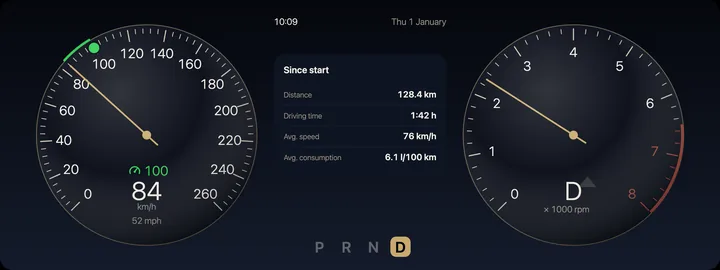
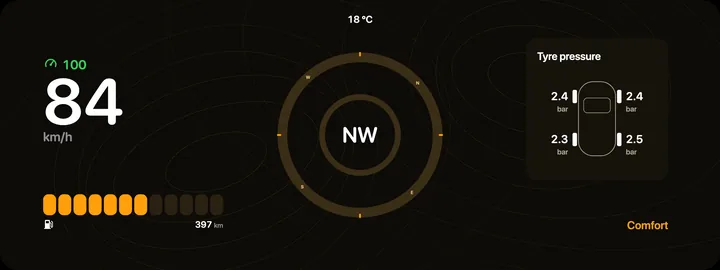
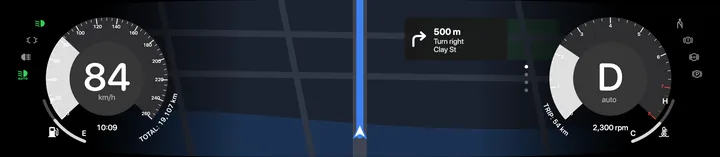
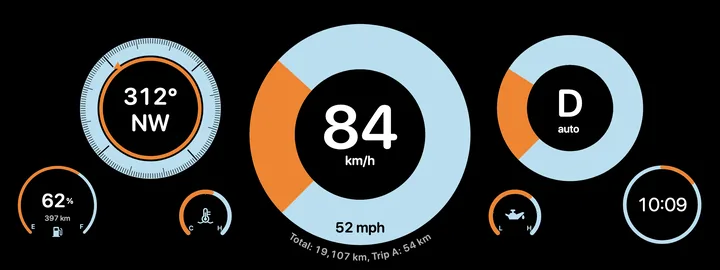
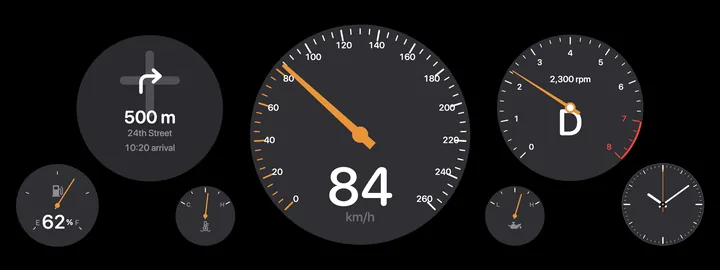
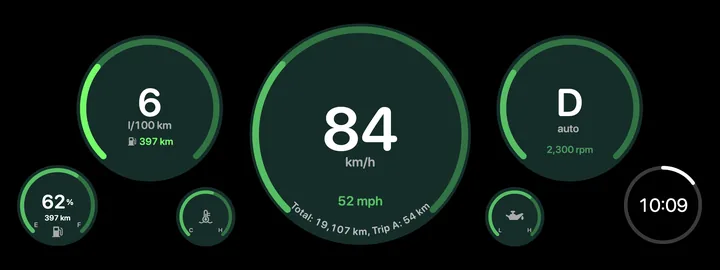
Classic five-dial layouts, sector gauges, full-screen navigation, an EV display with boost. Hover or focus a card to play its startup animation; tap or click to open it in the editor.

What you can change.

Pretty much everything.

100+

Settings per gauge

Arc, sector or needle; tick sets, numerals, gradients, bezels, satellite arcs, text along the arc, odometer rolls, redline, boost and regeneration zones.

20+ components

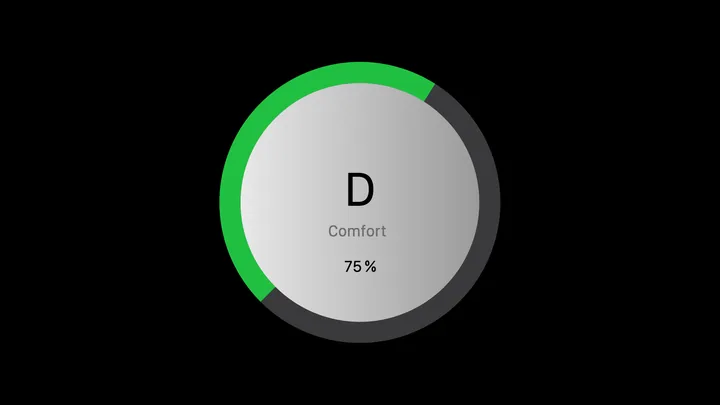
Round, dual and linear gauges, clocks, compass, g-force circle, gear selector, telltales, maps, media, calls, widgets.

Any display shape

Rectangle, squircle, ellipse, hexagon, shield or your own SVG path.

Simulation and motion

Drive the values live and design the startup animation: sweep, spin or build-up, with easing and stagger.

System typography

Uses the SF fonts installed on Apple devices, with kerning taken from the font. Other systems fall back to a similar font.

Your library

Save drafts in your browser and reuse any of them as a starting point.

Under the hood.

Modelled on the cluster guidance Apple presented at WWDC 2024 for next-generation CarPlay, as far as it is public.

  • One document, plain JSONDisplay, theme, animation and gauges in a single readable file
  • SwiftUI exportGauge styles, layout and a data model you can wire to real signals
  • SVG rendererResolution-independent output for docs, decks and design reviews
  • State coloursWarning and critical thresholds per gauge, like the system ones
  • Cruise and limiter markersDot with number, line for adaptive cruise, limiter as a simple line
  • No backendNo account, tracking or cookies. Your work stays in the browser

Frequently asked questions

What is Gauge Workshop?

A free browser tool for designing and exploring digital instrument clusters for CarPlay concepts: speedometer, tachometer, charge gauge, bars, compass and telltales. It is aimed at developers prototyping in SwiftUI and at anyone curious how such a cluster is built.

Why was it built?

Jens Riedweg, a UI/UX designer from Switzerland, was looking for a way to design gauges visually. The only options were Xcode, which demands a lot of engineering, and static Figma templates, which do not move. So he built Gauge Workshop.

Is this an official Apple tool?

No. Gauge Workshop is an independent private project. It is not made, endorsed or supported by Apple, and it is not part of the Apple Developer Program or the CarPlay SDK.

Can I load my design into my car?

No. Clusters for CarPlay are designed by Apple together with each automaker, and custom designs cannot be installed. Use Gauge Workshop for concepts, prototypes, presentations and learning.

What does the SwiftUI export give me?

A Swift file with the layout, the gauge styles and a small data model with preview values. It is a starting point for your own prototype app, not production code for a vehicle.

Where are my designs stored?

Only in your browser’s local storage. Nothing is sent to a server. Export a JSON file to back up or share your work.

Does it work on Windows and Android?

Yes, in any current browser. The SF fonts only appear on Apple devices; elsewhere the browser uses a similar system font.

Go on, turn a dial.

Open the editor and start with an example.

Open Gauge Workshop